Stop. Before you spend another week debating which events to track in your SaaS product, read this.
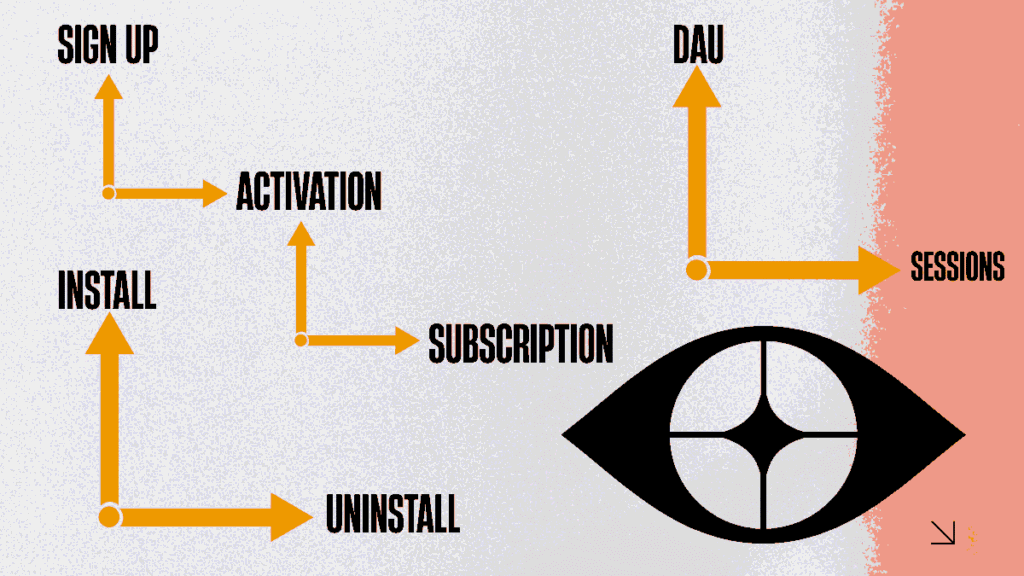
Setting up event tracking shouldn’t take months. This guide gives you 100+ ready-to-use SaaS events organized across six critical funnel stages: Acquisition, Onboarding, Activation, Engagement, Monetization, and Support.
Each event comes with clear naming, logic rules, and how to set it up. Pick what you need and start tracking today.
Why SaaS Event Tracking Matters for Business Success
Before diving into the events list, it’s important to understand why event-based analytics is crucial for SaaS success.
Understanding User Behavior Through Analytics Events
Businesses need to track specific user actions to understand how people interact with their products. Therefore, SaaS event tracking provides insights into what features users love, where they get stuck, and why they churn. Without proper tracking, companies are essentially flying blind.
Furthermore, implementing SaaS product analytics helps organizations make data-driven decisions rather than relying on gut feelings. Teams can identify bottlenecks in their SaaS conversion funnel and optimize them for better results.
The Impact on SaaS Growth Funnel
When companies track the right events, they can build a clear picture of their SaaS growth funnel. Thus, they can see exactly where users drop off and what actions lead to conversions. This visibility is essential for scaling businesses efficiently.
Additionally, proper SaaS funnel analytics enables teams to conduct meaningful SaaS cohort analysis, helping them understand how different user groups behave over time.
Core SaaS Events Every Business Must Track
The foundational events that every SaaS business should monitor form the backbone of effective analytics.
User Acquisition Events
These events help businesses understand how users discover and sign up for their products.
Website Interaction Events
Tracking these events reveals what catches users’ attention before they sign up.
- Visited Landing Page
- Clicked CTA Button
- Watched Demo Video
- Downloaded Resource
- Viewed Pricing Page
- Clicked Free Trial Button
- Opened Live Chat
- Submitted Contact Form
- Clicked Social Proof Element
- Scrolled to Feature Section
Sign-Up Events
Monitoring every step of the sign-up process reveals crucial friction points that impact conversions.
- Started Sign-Up Process
- Completed Email Verification
- Finished Account Creation
- Selected Plan Type
- Added Payment Method
- Applied Promo Code
- Skipped Payment Step
- Abandoned Sign-Up Form
- Returned to Complete Sign-Up
- Created First Workspace
SaaS Onboarding Events
SaaS onboarding events are critical for activation. Therefore, tracking these helps businesses improve their SaaS activation funnel.
Initial Setup Events
Proper setup tracking helps teams identify where users need more guidance during onboarding.
- Completed Welcome Tutorial
- Set Up User Profile
- Invited Team Members
- Connected Integration
- Imported Data
- Customized Settings
- Skipped Onboarding Step
- Completed Onboarding Checklist
- Watched Onboarding Video
- Requested Onboarding Help
First Value Events
These events are crucial because they indicate when users reach their “aha moment” and experience product value.
- Created First Project
- Added First Item
- Sent First Message
- Generated First Report
- Uploaded First File
- Made First Configuration
- Completed First Task
- Shared First Document
- Exported First Data
- Achieved First Milestone
Product Usage Events
Understanding daily usage patterns through SaaS usage analytics is essential for growth strategies.
Core Feature Events
Monitoring these events helps teams understand which features drive the most engagement and value.
- Logged Into Application
- Accessed Dashboard
- Used Search Function
- Applied Filter
- Sorted Data
- Created New Entry
- Edited Existing Item
- Deleted Item
- Saved Changes
- Undid Action
Collaboration Events
These events reveal how teams work together within the product and drive viral growth.
- Added Team Member
- Assigned Task
- Left Comment
- Mentioned User
- Shared Resource
- Changed Permissions
- Joined Meeting
- Started Collaboration
- Responded to Notification
- Accepted Invitation
SaaS Behavioral Events for Engagement
These SaaS behavioral events help businesses understand deep engagement patterns and power user behaviors.
Advanced Feature Usage
Tracking advanced features helps identify power users and expansion opportunities.
- Used Advanced Filter
- Created Custom View
- Set Up Automation
- Configured Workflow
- Built Custom Report
- Used API
- Enabled Integration
- Set Up Webhook
- Created Template
- Used Bulk Action
Content Interaction Events
Understanding how users engage with educational content helps improve product education strategies.
- Opened Help Article
- Watched Tutorial Video
- Attended Webinar
- Downloaded Guide
- Read Changelog
- Visited Community Forum
- Submitted Feature Request
- Reported Bug
- Provided Feedback
- Participated in Survey
Access 100 Plus SaaS Events You Should Track
SaaS Lifecycle Funnel Events
Tracking the entire SaaS lifecycle funnel helps businesses optimize each stage of the customer journey.
Activation Stage Events
Users need to reach their “aha moment” quickly. Hence, these events help measure activation success.
Key Activation Milestones
These milestones indicate successful product adoption and predict long-term retention.
- Reached Activation Milestone
- Completed Key Action
- Used Core Feature 3 Times
- Invited Second Team Member
- Connected Second Integration
- Achieved Quick Win
- Returned Within 24 Hours
- Engaged with Product Tour
- Completed Setup Wizard
- Reached Usage Threshold
Engagement Stage Events
Once activated, businesses need to keep users engaged. Therefore, tracking engagement helps improve SaaS retention metrics.
Daily Active Usage
Daily engagement signals strong product-market fit and healthy usage patterns.
- Daily Login
- Created Content Daily
- Used Mobile App
- Accessed API
- Received Notification
- Responded to Alert
- Updated Profile
- Changed Settings
- Used Shortcut Key
- Accessed Recent Items
Weekly Active Usage
Weekly patterns reveal consistent value delivery and habit formation.
- Weekly Login Streak
- Generated Weekly Report
- Attended Weekly Meeting
- Completed Weekly Goal
- Reviewed Weekly Analytics
- Exported Weekly Data
- Updated Team Status
- Processed Batch Items
- Cleaned Up Data
- Renewed Subscription
SaaS Retention Analysis Events
SaaS retention analysis depends on tracking the right long-term engagement signals and loyalty indicators.
Long-Term Retention Signals
These events indicate strong product stickiness and customer lifetime value.
- Reached 30-Day Mark
- Reached 90-Day Mark
- Renewed Annual Subscription
- Upgraded Plan
- Increased Seats
- Added Premium Feature
- Extended Contract
- Renewed Early
- Activated Dormant Account
- Reengaged After Inactivity
Revenue and Conversion Events
These events directly impact business bottom lines and help optimize the SaaS revenue funnel.
Monetization Events
Tracking these helps businesses understand their SaaS conversion funnel performance and revenue drivers.
Purchase Journey Events
Understanding the path to purchase helps optimize pricing and sales strategies.
- Started Free Trial
- Viewed Pricing
- Compared Plans
- Requested Demo
- Talked to Sales
- Received Quote
- Started Checkout
- Completed Payment
- Upgraded Account
- Downgraded Plan
Expansion Events
Growth comes from expansion. Thus, these events help businesses identify upsell opportunities.
Upsell and Cross-Sell Events
These events signal readiness for expansion and increased product investment.
- Added Extra Seats
- Enabled Add-On
- Upgraded to Premium
- Purchased Credits
- Activated Enterprise Features
- Requested Custom Plan
- Increased Usage Limit
- Added Storage
- Unlocked Advanced Features
- Committed to Annual Plan
SaaS Churn Tracking Events
Understanding why users leave is as important as knowing why they stay. Consequently, SaaS churn tracking helps businesses reduce attrition.
Early Warning Signals
Identifying at-risk customers early allows teams to intervene before cancellation.
Disengagement Indicators
These behavioral changes signal declining product value and churn risk.
- Decreased Login Frequency
- Stopped Using Core Feature
- Removed Team Members
- Disconnected Integrations
- Deleted Projects
- Visited Cancellation Page
- Contacted Support with Issues
- Downgraded Plan
- Disabled Notifications
- Ignored Onboarding
Offboarding Events
Understanding the cancellation process helps businesses improve retention and win-back strategies.
Cancellation Journey Events
These events provide valuable feedback on why customers leave and how to prevent future churn.
- Initiated Cancellation
- Completed Exit Survey
- Exported Data
- Deleted Account
- Requested Refund
- Paused Subscription
- Switched to Competitor
- Cited Price as Reason
- Cited Features as Reason
- Requested Account Closure
How to Implement SaaS Funnel Optimization
Now that businesses have this comprehensive events list, here’s how they can use it for SaaS funnel optimization.
Setting Up Event Tracking System
First, teams need to choose the right analytics platform that supports event-based analytics. Moreover, popular options include Mixpanel, Amplitude, Heap, and Segment. These platforms make it easy to implement SaaS customer journey analysis.
Additionally, businesses should prioritize events based on their specific goals. It’s not necessary to implement all 100+ events immediately.
Choosing the Right Analytics Platform
Different platforms offer different strengths for various business needs and technical requirements.
Key Platform Considerations:
- Integration capabilities with existing tech stack
- Real-time vs batch processing requirements
- User segmentation and cohort analysis features
- Pricing structure based on event volume
- Support for SaaS user segmentation needs
Building Your SaaS User Segmentation Strategy
Effective SaaS user segmentation turns raw event data into actionable insights and targeted strategies.
Creating Meaningful User Segments
Businesses should segment users based on behavior patterns, not just demographics.
Common Segmentation Approaches:
- By activation status (activated vs. not activated)
- By engagement level (power users, casual users, at-risk)
- By plan type (free, trial, paid, enterprise)
- By feature usage (feature A users, feature B users)
- By customer journey stage (onboarding, active, expanding, churning)
Leveraging SaaS Cohort Analysis
SaaS cohort analysis reveals how different user groups perform over time and helps predict future behavior.
Setting Up Cohort Analysis
Teams should analyze cohorts based on sign-up date, activation date, or first purchase date.
Key Cohort Metrics to Track:
- Activation rate by cohort
- Retention rate by cohort
- Revenue per cohort
- Feature adoption by cohort
- Time to value by cohort
Optimizing Your SaaS Customer Journey Analysis
SaaS customer journey analysis helps businesses understand the complete user experience from awareness to advocacy.
Mapping the Customer Journey
Every touchpoint in the customer journey should connect to specific events and outcomes.
Journey Stages to Map:
- Awareness and acquisition
- Onboarding and activation
- Engagement and usage
- Expansion and upsell
- Retention and advocacy
Improving SaaS Retention Metrics
SaaS retention metrics are the ultimate indicator of product-market fit and business health.
Key Retention Metrics to Monitor
Different retention metrics serve different purposes in understanding customer loyalty.
- Day 1, Day 7, Day 30 retention rates
- Monthly and annual retention rates
- Net revenue retention (NRR)
- Gross revenue retention (GRR)
- Customer lifetime value (CLV)
Advanced Event Tracking Strategies
Once basic tracking is in place, businesses can implement advanced strategies for deeper insights.
Implementing Event Properties
Event properties add context to actions and enable more sophisticated analysis.
Essential Event Properties
Every event should include relevant properties that provide additional context.
- User ID and account ID
- Timestamp and session ID
- Device type and browser
- Geographic location
- Plan type and user role
- Feature flags and A/B test variants
Creating Custom Events
While this list covers most common scenarios, every SaaS product has unique features requiring custom events.
When to Create Custom Events
Businesses should create custom events for product-specific actions that drive their unique value proposition.
Custom Event Guidelines:
- Track actions unique to the core product value
- Monitor feature-specific workflows
- Capture industry-specific behaviors
- Track custom integrations and API usage
- Monitor unique collaboration patterns
Avoiding Common Event Tracking Mistakes
Many businesses make critical mistakes when implementing event tracking that undermine their analytics efforts.
Over-Tracking vs. Under-Tracking
Finding the right balance between too many and too few events is crucial for actionable insights.
Signs of Over-Tracking
Too many events create noise and make analysis difficult.
- Event schemas change frequently
- Analytics dashboards are overwhelming
- Teams can’t agree on which metrics matter
- Event volume costs are unsustainable
- Analysis paralysis prevents action
Signs of Under-Tracking
Too few events leave blind spots in understanding user behavior.
- Can’t explain why users churn
- Can’t identify successful activation patterns
- Can’t measure feature impact
- Can’t segment users effectively
- Can’t attribute growth to specific actions
Maintaining Event Naming Consistency
Consistent event naming conventions ensure clean data and easy analysis across teams.
Event Naming Best Practices
Standard naming conventions prevent confusion and enable better collaboration.
- Use clear, descriptive names (not abbreviations)
- Follow consistent verb-noun pattern
- Use past tense for completed actions
- Group related events with prefixes
- Document all events in a tracking plan
Measuring Success with Event-Based Analytics
The ultimate goal of event tracking is to drive business outcomes through data-informed decisions.
Key Success Metrics
Different stakeholders care about different metrics derived from event data.
Product Team Metrics
Product teams focus on usage, engagement, and feature adoption metrics.
- Feature adoption rates
- Time to first value
- Active user trends
- Feature retention rates
- User flow completion rates
Growth Team Metrics
Growth teams optimize acquisition, activation, and expansion through event analysis.
- Conversion rate by channel
- Activation rate by cohort
- Viral coefficient
- Expansion revenue rate
- Customer acquisition cost (CAC)
Customer Success Metrics
Customer success teams use events to identify at-risk accounts and expansion opportunities.
- Health score based on usage
- Engagement trends
- Support ticket correlation
- Feature utilization rates
- Renewal likelihood scores
Tools That Can Operate Event Tracking
Choosing the right tools makes event tracking implementation and analysis much easier.
Analytics Platforms
Product Analytics Tools
Customer Data Platforms
Visualization and Reporting Tools
Business Intelligence Platforms
Specialized SaaS Analytics Tools
SaaS-Specific Platforms
- Totango (for customer engagement)
- ChartMogul (for subscription analytics)
- ProfitWell (for revenue optimization)
- Baremetrics (for SaaS metrics)
- Gainsight (for customer success)
Taking Action with Event Tracking
Rather than attempting to implement all 100+ events simultaneously, successful organizations should start with events that answer their most pressing questions. For instance, if activation is the biggest challenge, focusing on onboarding and first-value events provides immediate insights that justify further investment.
FAQs
SaaS event tracking is the process of monitoring specific user actions within a software application to understand behavior patterns, optimize user experience, and drive business growth through data-driven insights.
Events are specific actions users take (like “clicked button” or “completed sign-up”), while metrics are aggregated measurements derived from events (like “conversion rate” or “average session duration”). Events are raw data points, and metrics are calculated insights.
Engagement frequency events, feature usage patterns, support interactions, and behavioral changes like decreased logins or removed team members are most predictive of churn risk. Additionally, tracking onboarding completion and activation milestones helps identify at-risk users early.
Event tracking reveals exactly where users drop off in conversion funnels, which features drive retention, and what actions correlate with expansion, enabling data-driven optimization decisions. Consequently, businesses can prioritize improvements based on actual user behavior rather than assumptions.
opular SaaS event tracking tools include Mixpanel, Amplitude, Heap, and Segment for comprehensive analytics. Additionally, specialized tools like ChartMogul for subscription analytics and ProfitWell for revenue optimization provide focused insights for specific business needs.